
How do I find my lead tracking information using ShowMojo?
Find Your Auto-Reply Email Address
Your ShowMojo auto-reply email address is used for external lead forwarding.
Refer to the following steps to locate your email:
- Log in to your ShowMojo account.
- Select Settings at the top of the page.

The Settings page appears.
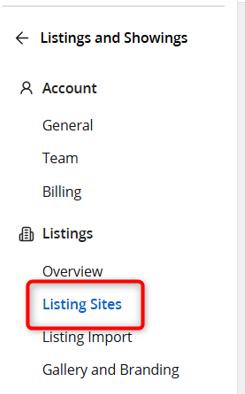
- Select Listing Sites under Listings in the left navigation.
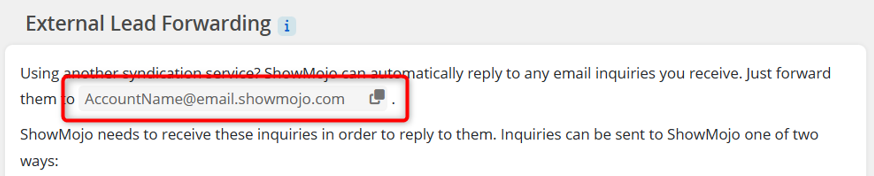
- Locate the External Lead Forwarding section.
Your auto-reply email address is located at the top of this section.
Find Your ShowMojo Phone Number
Your ShowMojo PHONE number is used for lead tracking and call routing.
Refer to the following steps to locate your phone number:
- Log in to your ShowMojo account.
- Select Settings at the top of the page.
The Settings page appears.
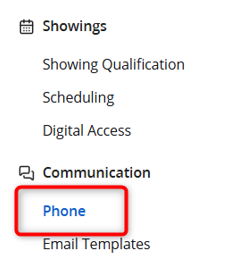
- Select Phone under Communication in the left navigation.
The ShowMojo PHONE page appears.
Your number is located at the top of this page and is associated with both your account and listings.
